How to Start a YouTube Channel: A Simple Beginner Guide That Actually Works

To start a YouTube channel, create a Google account, open YouTube Studio, and create your channel with a clear name that matches your topic. Then pick one topic you can talk about for months, film your first videos with the phone you already own, and upload on a steady schedule, one or two videos a week. You do not need expensive gear, a studio, or editing skills to begin. Good videos come from a clear idea, honest delivery, and sound your viewers can hear easily.
Most new channels grow slowly at first, and that is normal. Your first ten videos are practice, not a verdict on your future. The creators who succeed are usually the ones who keep publishing, learn from their numbers, and improve one small thing in every video. This guide walks through each step in order, from the channel setup to your first uploads and the road to earning money, so you can start this week with what you already have.
| Quick Fact | Detail |
|---|---|
| Cost to start | Free, with a Google account and the phone or computer you already own |
| First milestone | Your first 10 videos, published on a steady schedule |
| Publishing pace | One or two videos a week is enough for most beginners |
| Good video length | 8 to 15 minutes for most how-to and explainer topics |
| Monetization bar | 1,000 subscribers plus 4,000 watch hours or 10 million Shorts views |
| What matters most | A clear topic, clear sound, and videos that answer a real question |
Pick One Topic You Can Talk About for Months
Every successful channel starts with a clear topic, often called a niche. A niche is simply the subject your channel is about, and it helps the right viewers find you and come back. Pick a topic you know well enough to explain, or one you are genuinely learning and excited to share. Cooking for beginners, basic home repairs, simple tech tips, local travel, and beginner fitness are all fine choices. The topic does not need to be original. It needs to be useful, and it needs to be something you will still enjoy making videos about in six months.
Ask yourself three questions before you commit. First, can I list twenty video ideas on this topic right now, without struggling? Second, do people search for answers on this topic? Type a few questions into the YouTube search bar and see what appears. If the search box suggests your question, people are asking it. Third, is the topic narrow enough that a viewer can describe your channel in one sentence? A channel about budget cooking for students is easier to remember than a channel about everything. If you also enjoy audio, this guide to starting a podcast from home shows how the same skills transfer to a second format later.
Set Up Your Channel the Right Way
Setting up the channel takes about thirty minutes. Sign in to YouTube with a Google account, click your profile picture, and choose Create a channel. Pick a name that is short, easy to spell, and tied to your topic. A name like Budget Kitchen or Fix It With Sam tells a new visitor what to expect. Avoid long names with numbers and symbols, because they are hard to remember and hard to search for. If you plan to build a business around the channel one day, use a name you would be happy to put on a website or a business card.
Next, fill in the parts viewers actually see. Write a short channel description that says who the channel is for and what kind of videos you publish, using plain words your viewers would search for. Upload a simple profile picture, a face or a clean logo, and a banner image that states your topic in a few words. Then go to YouTube Studio, open Settings, and set your channel country and language. Turn on two-step verification for your Google account, because YouTube requires it before you can apply for monetization later, and it protects your channel from being stolen.
Plan and Record Your First Videos
Plan before you press record. Write down the one question your video answers, then list three or four points that answer it, in the order a beginner needs them. A simple outline beats a word-for-word script for most people, because it keeps you natural while stopping you from rambling. Start the video by saying what the viewer will learn, then deliver the answer early, and finish with a short summary and one clear next step. Viewers decide in the first fifteen seconds whether to stay, so put your best material first, not last.
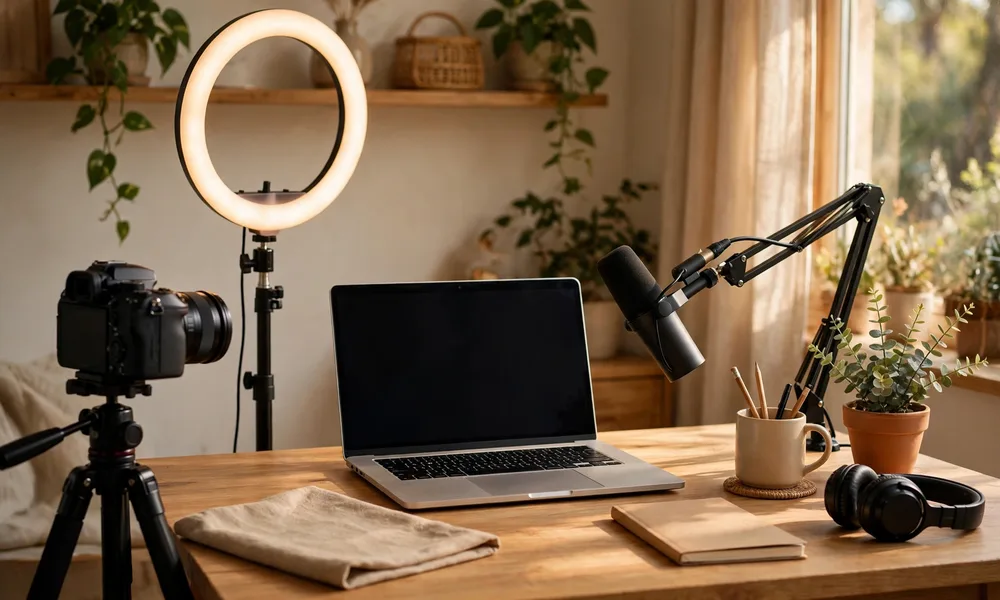
Your phone is good enough to start. Film in a quiet room with a window in front of you or a lamp behind the camera, so your face is lit and easy to see. Prop the phone on a stack of books or a cheap tripod, and sit close enough that your voice is clear. Sound matters more than picture quality, so if you can spend a little money, spend it on a small microphone before you spend it on a camera. Record a short test clip, watch it back, and fix the worst problem you see: usually the light, the background noise, or a phone that is too far away. If you are also thinking about earning from your skills online, this guide to starting freelancing with no experience covers another way to turn the same skills into income.
Publish, Title, and Thumbnail Like a Human
Uploading is simple, but the details around the upload decide whether anyone clicks. Give the video a title that states the benefit in plain words, like How to Fix a Leaking Tap in 10 Minutes, rather than a clever title nobody searches for. Write a description in the first two or three lines that repeats the question and the answer in different words, because those lines show up in search results. Add a few tags that match your topic, pick the category that fits, and choose a thumbnail that shows the result of the video, with large readable text if you use words at all.
Make your own thumbnail instead of using the automatic frame YouTube picks. A simple photo from the video, brightened up, with two or three large words, usually beats a busy design. Keep the style similar across your videos so regular viewers recognise your work in a crowded feed. After publishing, share the video once where your audience already spends time, a group, a forum, or a social account, and then move on to the next video. Do not refresh the view count all day. One good video a week, published for three months, teaches you far more than ten videos uploaded in a panic.
Grow Steadily and Understand Monetization
Growth comes from making the next video better than the last one, and from reading your analytics honestly. In YouTube Studio, look at two numbers for each video: how many people clicked, and how long they watched. If people do not click, the title or thumbnail needs work. If they click and leave in thirty seconds, the opening needs work. Reply to early comments, because a small channel that answers its viewers builds loyalty that a big channel cannot copy. Ask viewers a simple question at the end of a video, and use their answers as ideas for the next one.
Earning money from ads comes through the YouTube Partner Program. As of 2026, you need 1,000 subscribers plus either 4,000 valid public watch hours in the last 12 months or 10 million valid public Shorts views in the last 90 days. There is also a lower entry level at 500 subscribers that unlocks fan funding features like memberships and Super Thanks, but not ad revenue. Note that YouTube has announced higher thresholds for new applicants from February 1, 2027, rising to 8,000 watch hours or 20 million Shorts views, so check the current rules in YouTube Studio before you apply. Even before ads, many small channels earn through affiliate links, sponsorships, and selling their own products, and those options do not depend on subscriber counts at all.
How much does it cost to start a YouTube channel?
Nothing, beyond the phone or computer you already own. Creating a channel, uploading videos, and using YouTube Studio are all free. Many creators film their first fifty videos on a phone, and only buy a microphone or lights once the channel starts to grow.
How many videos should I upload per week?
One or two videos a week is a good pace for most beginners. Consistency matters more than volume. A channel that publishes one video every week for a year will usually do better than a channel that uploads ten videos in one month and then disappears.
Can I start a YouTube channel with just my phone?
Yes. Modern phones record good quality video, and viewers forgive simple visuals if the sound is clear and the advice is useful. Film in good light, keep the phone steady, and record in a quiet room.
How long does it take to earn money on YouTube?
It varies a lot. Most channels take many months to reach the 1,000 subscriber and watch hour thresholds for ad revenue. Treat the first year as a learning period, and focus on making videos people finish and share.
Sources
Monetization thresholds and eligibility rules in this article reflect the YouTube Help Center page on Partner Program overview and eligibility, the Tella guide to YouTube Partner Program requirements in 2026, and the 1of10 breakdown of YouTube Partner Program requirements and payouts. YouTube changes its rules from time to time, so check the current eligibility page in YouTube Studio before applying.
Final Thoughts
Starting a YouTube channel is mostly about starting, not about planning forever. Pick one topic, set up the channel in an afternoon, film your first video with the phone in your pocket, and publish it. Then do it again next week, a little better. The channels that grow are rarely the ones with the best equipment on day one. They are the ones that kept showing up, listened to their viewers, and improved one small thing at a time. Your first video will not be perfect, and it does not need to be. It just needs to exist.