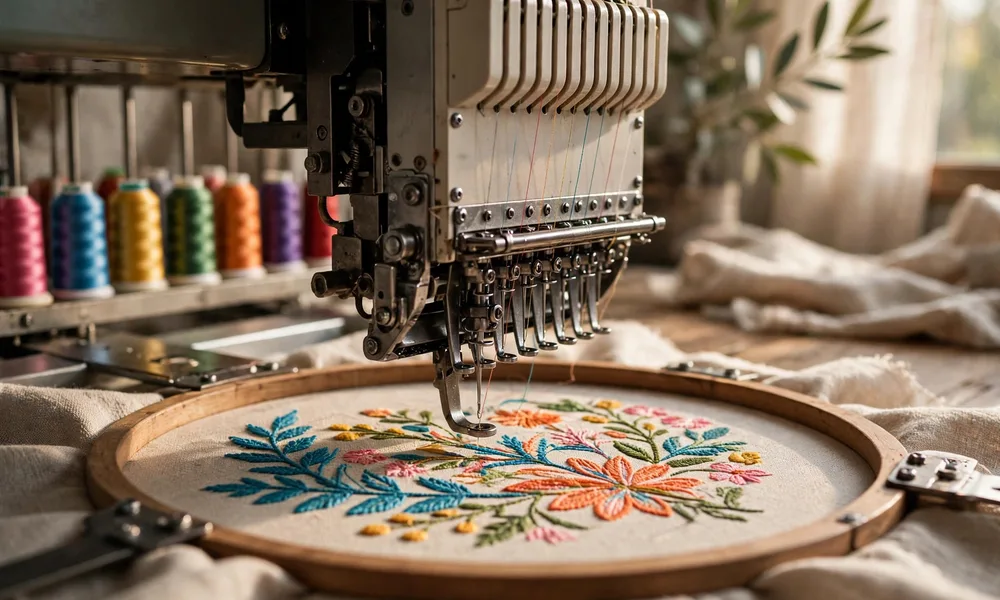
Embroidery Digitizing Glossary: 42 Terms Every Buyer and Shop Should Know
Order embroidery once and you will hear words that sound simple until money depends on them. A shop may talk about density, underlay, and pull compensation while you are still wondering why a clean logo on screen turned into wavy letters on a shirt. This glossary translates that shop language into plain English.
All 42 terms below are real terms used in embroidery digitizing and production. They are grouped so buyers can check a quote with confidence and new shop staff can learn the words in the order they meet them, from the first file to the finished garment.
Quick Facts
| Item | Detail |
|---|---|
| Topic | Embroidery digitizing glossary, 42 terms |
| Category | Business |
| Who it helps | Buyers ordering logo embroidery and shops training new staff |
| Groups | File basics, stitch types, fabric and hooping, accuracy, production, finishing |
| Most quoted terms | Digitizing, stitch count, DST file, density, underlay, stabilizer |
| Golden rule | Always judge a test sew out on the real fabric, not only the screen preview |
How to use this glossary: You do not need to memorise every term before placing an order. Use the list as a translator during three moments. First, when you send artwork, check the file terms so you know what you are handing over and what file you will get back. Second, when you read a quote, check stitch count, density, and stabilizer terms, because those choices drive price, run time, and quality. Third, when a sample disappoints you, use the accuracy and problem terms to describe what you see in words the digitizer can act on, such as poor registration or puckering, instead of saying only that it looks wrong.
Good shops welcome this shared language. A clear brief that names the garment, fabric, design size, placement, and thread colours prevents most problems before a needle moves. A test sew out on the actual fabric, or a close match to it, then proves whether the settings chosen in software survive real thread, real tension, and real cloth.
File Basics: Terms 1 to 7
1. Digitizing: Converting artwork into machine readable stitch data, setting stitch types, order, density, underlay, and compensation so a design sews correctly.
2. Vector Artwork: Clean artwork made of points and curves, often from files such as EPS or AI, that can be resized without losing sharp edges.
3. DST File: A widely used Tajima machine file format that stores stitch coordinates and commands such as stops and trims, but not true thread colour information.
4. Expanded Format: A stitch file where individual stitches are fixed, so enlarging or reducing it much beyond about 10 to 20 percent can distort the design.
5. Condensed Format: An outline based format where stitches can be regenerated after size, density, or stitch length changes, allowing safer scaling than expanded files.
6. Stitch Count: The total number of stitches in a design, a common basis for pricing and for estimating machine run time and thread use.
7. Pathing: The planned travel order of stitching through a design, set to reduce jumps, trims, and wasted movement between separate elements.
Stitch Types: Terms 8 to 14
8. Running Stitch: A simple single line of stitches used for fine detail, outlines, travel moves, and some underlay, also called a walk stitch.
9. Bean Stitch: A reinforced run made by stitching forward and back, often three passes, giving a bolder hand sewn look, also called triple run.
10. Satin Stitch: Closely spaced zigzag stitches that form smooth, shiny columns, widely used for lettering, stems, and borders within a suitable width range.
11. Fill Stitch: Rows of stitches that cover larger areas with texture, also called tatami fill, with pattern, angle, and spacing set by the digitizer.
12. Jump Stitch: A long thread move between design parts where the needle does not stitch, later trimmed away or hidden where the design allows.
13. Lock Stitch: A few tiny tight stitches at the start or end of an element that secure thread so it does not unravel during wear.
14. Underlay: Foundation stitches sewn beneath the visible top stitching to hold fabric to stabilizer, support edges, and reduce distortion and puckering.
Fabric, Hooping, and Support: Terms 15 to 21
15. Backing: Support material placed behind the fabric during stitching, also broadly called stabilizer, chosen to match fabric stretch, weight, and stitch count.
16. Cutaway Stabilizer: A backing that stays in the garment after stitching, with only the excess trimmed away, favoured for knits and stretch fabrics.
17. Tearaway Stabilizer: A backing torn away cleanly after stitching, commonly used on stable woven fabrics and items such as towels and caps.
18. Hoop: A frame of two rings or a clamp system that holds fabric and stabilizer firm and flat while the machine stitches.
19. Hooping: The act of placing fabric and stabilizer in the hoop straight, smooth, and firm without stretching the garment out of shape.
20. Sewing Field: The maximum area a machine can stitch within a given hoop or frame, also called the embroidery field, which limits design size.
21. Needle: The machine needle matched to fabric and thread, with ballpoint styles for knits and sharp styles for tightly woven fabrics.
Accuracy Terms: Terms 22 to 28
22. Density: How closely stitches are spaced, usually described by row spacing, affecting coverage, stiffness, run time, puckering risk, and thread breaks.
23. Stitch Length: The distance between needle penetrations in a stitch, adjusted for detail, smooth curves, fabric type, and clean fill coverage.
24. Pull Compensation: A deliberate widening of shapes in the file to counter the natural inward pull of thread tension, keeping columns and letters true.
25. Push and Pull: The distortion where stitches pull fabric inward along their length and push it outward at the ends, changing shapes if uncorrected.
26. Registration: The alignment of all design elements with each other, correct when outlines, fills, and borders line up exactly as intended.
27. Scaling: Enlarging or reducing a design, safest in outline formats where stitch count and density can be recalculated for the new size.
28. Edge Run: An underlay outline stitched just inside an element edge, also called edge walk, that sharpens satin edges and anchors the fabric.
Production and Problem Terms: Terms 29 to 35
29. Tension: The balance between top thread and bobbin thread pull, set so stitches sit cleanly without loops on top or puckering below.
30. Bobbin Thread: The fine lower thread wound on the bobbin that locks with the top thread to form each stitch inside the machine.
31. Thread Break: A snapped top thread that stops production, often linked to tension, needle condition, dense stitching, or poor pathing.
32. Bird Nesting: A tangled mass of thread bunched under the fabric or needle plate, usually from tension, threading, or bobbin problems.
33. Puckering: Wrinkling or gathering of fabric around a design, caused by movement, weak support, high density, or strong push and pull.
34. Trim: A machine command or manual cut that removes thread between elements, and the act of cutting away loose threads after stitching.
35. Color Stop: A programmed pause in the file for a thread colour change or a manual step, such as placing applique fabric or foam.
Finishing, Lettering, and Special Effects: Terms 36 to 42
36. Applique: A technique where fabric pieces are tacked down and edged with stitching, often satin, to fill areas with cloth instead of thread alone.
37. Lettering: Text created in embroidery software from digitized alphabets, sized and spaced so letters stay readable at the finished stitch size.
38. Monogram: A design made from one or more initials, arranged in a set order and style, commonly used on towels, shirts, and gifts.
39. Tie In and Tie Off: Small securing stitches at the start and end of an element, related to lock stitches, that stop thread ends pulling free.
40. Knockdown Stitch: A light loose fill laid over pile or textured fabric such as fleece or terry, flattening the surface so detail sits on top.
41. 3D Puff: A raised effect made by stitching dense satin over foam, with the excess foam removed afterwards to leave a bold, lifted shape.
42. Cap Frame: A special frame or driver that holds a curved cap for stitching, with a smaller sewing field and height limits than flat hoops.
FAQs
Why does the same logo need new digitizing for a cap and a shirt?
Because fabric, curvature, and size change how stitches behave. A cap has a curved surface, a smaller sewing field, and often a centre seam, so pathing, compensation, and stitch order usually need adjusting for a clean result.
Can I just resize a DST file to any size I want?
Not safely. A DST is an expanded stitch file, so large size changes keep the same stitch count and distort density. Ask for the design to be redigitized or resized from an outline format for big changes.
What should a buyer send to get an accurate quote?
Send the cleanest artwork you have, the exact finished size, the garment and fabric type, placement, thread colours, and quantity. Those facts let the shop estimate stitch count, stabilizer, and run time without guessing.
What is the fastest way to check digitizing quality?
Ask for a sew out on your actual fabric and look closely at lettering edges, registration between fills and outlines, flatness with no puckering, and clean backs with no bird nesting. The screen preview alone cannot prove any of those points.
You may also read: How Software Development Companies Are Helping Businesses Adopt Blockchain Technology
Final Thoughts
Embroidery language stops being confusing once each word is tied to something you can see on a garment or a quote. Files, stitches, stabilizers, and accuracy settings all meet in one place, the sew out, which is why both buyers and shops should judge work there first.
Keep this glossary near the order desk or the machine. Use it to write clearer briefs, ask sharper questions, and describe problems in a way that gets them fixed on the next sample instead of the next order.